Section: FiveM
This section is dedicated to the FiveM category, accessible on the left side of the software.
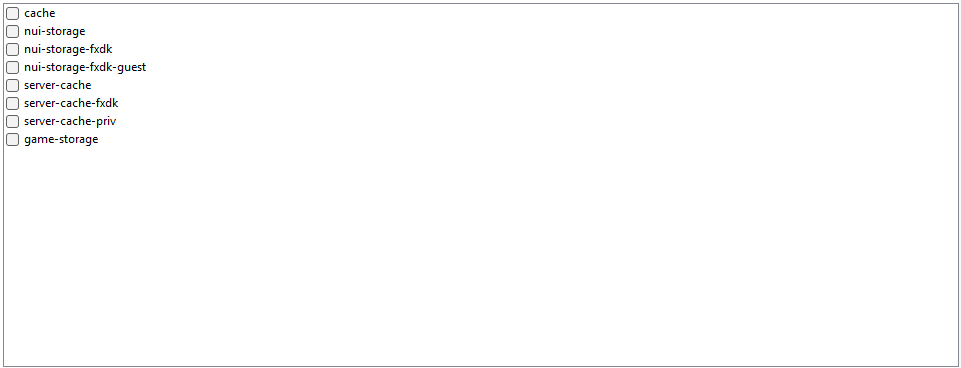
FiveM Reset
Various reset options are available to resolve certain issues, including:
Cache
- Content: Temporary resources (textures, scripts, etc.) downloaded from servers.
- Purpose of deletion: Reset resources in case of corrupted files, loading problems, or lag. Also helps free up disk space.
NUI-storage
- Content: Temporary data for user interfaces (menus, HUD).
- Purpose of deletion: Reset interfaces in case of bugs or incorrect displays.
NUI-storage-fxdk
- Content: Data for interfaces used in the FXDK development environment.
- Purpose of deletion: Resolve issues encountered during resource creation or testing.
NUI-storage-guest
- Content: Non-persistent data for guest users or quick matches on servers.
- Purpose of deletion: Address temporary interface issues for these users.
Server cache
- Content: Resources downloaded from servers you have played on.
- Purpose of deletion: Refresh files in case of corruption or incorrect synchronization.
Server cache fxdk
- Content: Resources from servers tested with FXDK in the development environment.
- Purpose of deletion: Reset tests or fix technical issues in FXDK.
Server cache priv
- Content: Resources specific to private or protected servers.
- Purpose of deletion: Address issues related to these servers or free up space.
Game storage
- Content: General game data, such as configuration files or information about frequented servers.
- Purpose of deletion: Reset configurations or address general issues related to FiveM's functioning.
Important Notes
- Deleting these folders can resolve various bugs or technical issues.
- Warning: This may lead to re-downloading files (cache, server resources, etc.) when you relaunch FiveM or reconnect to a server.
- Proceed with caution if you are unsure of the specific folder's content.